Flight Booking Apps start the revolution in modern traveling, as the user can search, compare, and purchase a ticket immediately on their smartphone. Such applications provide unmatched convenience, updated information, and limited availability of exclusive prices compared to travel agents or desktop websites, and they can be used to book the best fares.
Although there are numerous popular applications, including Skyscanner, MakeMyTrip, KAYAK, and Expedia, we will consider the overall process, functionality, and configuration of a popular meta-search application like Skyscanner, which is a good representative of such a program, since it gathers flight prices and offers them via various airlines and online travel agents (OTAs).
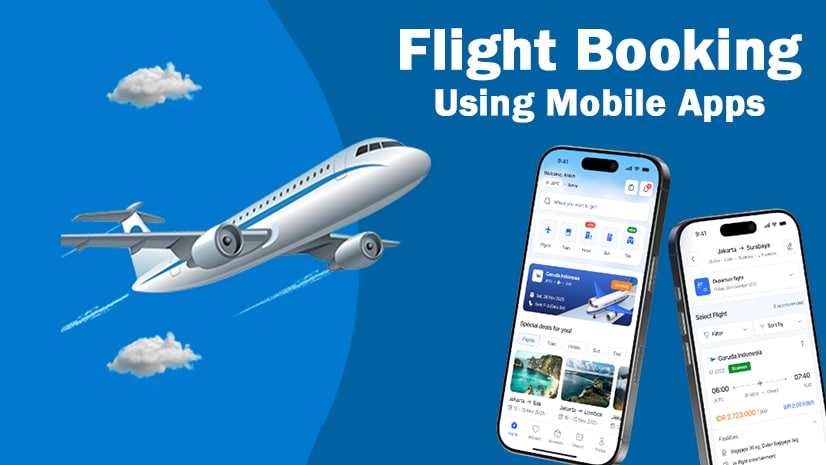
Main Characteristics and New Additions
The top flight booking applications are powerful search engines that have a user-friendly interface. Some of the key features you would have included include:
Full-fledged Search and Compare: The application will search hundreds of airlines and OTAs at once, showing you all possible options and giving you a chance to compare each other in terms of price, flight time, and layovers, all in one place.
Price Alerts: This is a vital option that informs you instantly that the price of a particular route has gone down or up so that you can book at the best time possible.
Flexible Search: Flights to Everywhere: Flight search engines, such as searching flights to Everywhere and the Cheapest Month, allow a traveler with a flexible schedule to find the lowest possible prices.
Real-Time Status and Updates: The app usually gives real-time flight delay, gate change, and baggage claim, as well as flight status, after booking.
Multi-Service Booking: It has become a common feature of many leading apps where you can now book more than flights, as you can also book hotels and rental cars.
Flexible Booking: The ability to cancel or change the date/airline can be highlighted or made as an option.
The recent Updates to the App can be dedicated to improving the user experience by adding such features as:
Better intelligent algorithmic pricing.
Quick and safer pay gateways (and local ones such as UPI).
Improved amenity, layover airport, and airline ratings filters.
Installation (Full) of the App
The process of installation is simple and common with the majority of the major flight booking software, be it a global aggregator (such as Skyscanner) or an Online Travel Agency (such as MakeMyTrip).
Step 1: Find the App and Link
The app is available on your personal device on an official app store. As an example, here are the probable connections of the popular application, such as Skyscanner:
- Android (Google Play): Find Skyscanner Flights, Hotels, Cars.
- Example URL: play.google.com/store/apps/details?id=net.skyscanner.android.main.
- iOS (App Store): Find the Skyscanner.
- Example Link: https://us.bit.ly/app/skyscanner/id415458524.
Step 2: Download and Install
Go to the App Store (iOS) or Google Play Store (Android).
Search using the search bar to search the app you want to book a flight (e.g., Skyscanner).
Click the “Install” or “Get” button beside the app icon.
Allow downloading and installation to happen (typically a minute or two, depending on your internet speed).
Step 3: First, set up and create accounts.
Open the newly installed app.
The Terms and Conditions and Privacy Policy will generally be required of you.
Create an Account: You may be able to use the platform without an account; however, to book and manage your trips, you need one. You can usually sign up using:
- Email address
- Google or Apple ID
- Social Media Account (e.g., Facebook)
Notification allotment: Notification allotment is very much necessary to get essential price alerts and flight status updates.
How to Use the App for Booking
After the installation and setup, the process of booking a flight is a four-step process:
Step 1: Search for Flights
On the home screen, tap the Flights option.
Input your City of Departure and Destination City.
Choose your Travel Dates (one way or round trip).
Enter the Number of Passengers and Travel Class (Economy, Business, etc.).
Tap the Search button.
Step 2: Filter and Compare Results
The app will give a list of all the available flights, typically ordered by Cheapest or Best (a combination of cheapness and convenience).
Ready the Results by using the Filter option to filter by:
Price range
Stops (non-stop, 1, 2, etc.)
Airline or booking site
Departure/Arrival times
Find the most suitable flight that fits your needs.
Step 3: Proceed to Booking
Tap on your chosen flight. The app will most likely send you to the website of the airline or a third-party Online Travel Agency (OTA) to complete the purchase.
Check everything (dates, times, baggage policy, fare rules, etc.) and continue.
Provide Passenger information (full name according to the passport/ID, date of birth, contacts).
Step 4: Payment and Confirmation
Choose your mode of payment (credit card, debit card, UPI, etc.).
Use any promotional codes or discounts.
Finalize the safe transaction.
You will get a Confirmation Email of your PNR (Passenger Name Record) and e-ticket. Such a ticket will also most likely be available in the My Trips section of the app.
Communicating on booking apps saves you money and time; you can simply keep the price comparison and direct booking in your pocket.
Declaration
etime.in is not affiliated with any government agency, official department, or authority. The information provided in this post/website is for informational purposes only. We are not answerable for any damages or errors related to the use of our content. Aspirants should always verify the information directly from the official website or notification before taking any action.