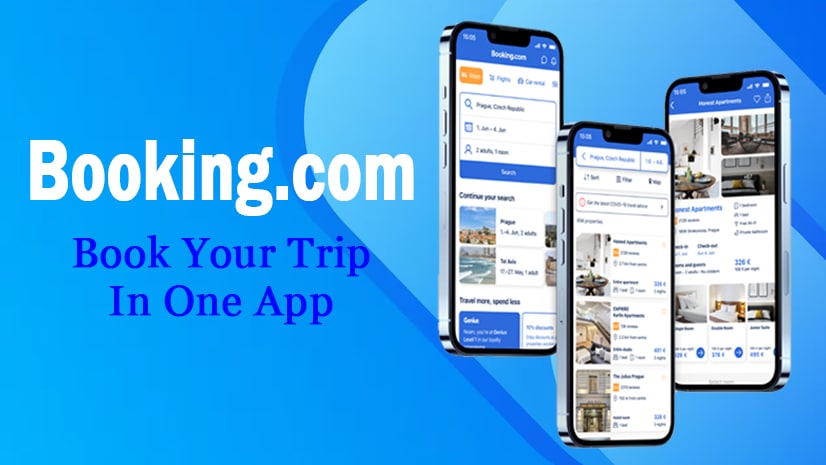
The Booking.com Smartphone Application turns your smartphone into a full-fledged travel agency and gives you direct access to millions of stay options, as well as offering a complete range of travel services on a global scale. It has been known to have enormous inventory, affordable prices, and user-friendly features, which make it one of the most used apps to make hotel, home, flight, and other bookings.
Detailed Information and Key Features
Booking.com is an online travel company that boasts of accessing upwards of 30 million reported listings worldwide.
Key Features:
Diverse Inventory: The application is not limited only to hotels, but it has a wide range of accommodation types, such as apartments, homes, villas, B&Bs, resorts, and hostels.
All-in-One Travel: The application is a full-fledged traveling platform where clients can book Stays, Flights, Car Rentals, Airport Taxis, and Local Attractions (tours, museums, experiences) in one app.
Flexibility & Guarantee: The majority of the properties have Free Cancellation to allow the travelers to be flexible due to any change in travel plans. The application also gives a Price Match guarantee on the houses.
Loyalty Program (Genius): The free Genius loyalty program will be available with lifetime discounts on specific stays and car rentals, whereby level 1 (sign-up) will have discounts of 10% and levels 2 and 3 will increase to 20% discounts, free breakfasts, and free room upgrades after completing a particular number of bookings.
24/7 Customer Support: It has 24/7 customer service in over 40 languages.
Mobile-Only Deals: Customers have the chance to obtain discounts of 10% or above on mobile-only on the selection of properties when they directly book via the app.
Recent developments and AI innovations are worth considering
The recent development process has largely concentrated on how to incorporate Generative AI (GenAI) to provide further personalization of search and management of trips to guarantee a simpler and more user-friendly experience.
AI-Powered Search Filters (Smart Filter): This option enables customers to type what their dream property would be like (examples include Hotels with a great gym, rooftop bar, and canal views), and the AI will apply the best possible filters, thus eliminating the need to search manually.
Instant Information Retrieval (Property Q? A & Review Summaries): Travelers can ask certain questions about a property (such as, Does the hotel accept large dogs?), and get immediate and correct responses based on the listing of the property and its reviews.
Additionally, Review Summaries summarize the information provided by guests into brief, personalized summaries.
AI Agentic Communication Tools: The AI Trip Support tool provides guests with 24/7 support, and the AI Voice Support allows them to manage their trip using voice (e.g., “I need to cancel my reservation). In the case of property communication, the Smart Messenger and the Auto-Reply solution are used to facilitate the process of communication between the partner and the guest.
Booking.com Business: The recent additions are an overhauled dashboard to keep track of travel spending and the real-time position of a traveler, and the option to add VAT or GST numbers easily when checking out to manage expenses.
How to Install and Full Setup
It is easy to install and set up, just like any mobile application.
- Download: Open the app store on your device (Android uses Google Play, and iOS uses App Store) and search for Booking.com. Choose the official application and press the Install.
- Account Creation/Sign-In: Open the app after installation. It allows surfing and browsing as a guest, but in order to book and follow up on the reservations, people need to create a free account either with their email, Google, or Facebook.
- Profile Set-up: Go to the profile set-up. It is also advisable to include and store the important information, including your name, phone number, and preferred way of payment (credit/debit card), to simplify the process of checking out in the future, as most bookings do not require payment beforehand.
How to Use for Booking
The application simplifies the tasks of searching and booking your ideal place of stay within a few clicks:
Start Search: On the homepage, you need to tap on the section of stays. All you have to do is type in where you want to visit (city, landmark, or name of the exact hotel), your Check-in and Check-out dates, the number of Adults, and Children (and their ages). Tap ‘Search’.
Filter and Refine: There is a wide range of filters in the results page. Filter them by:
Price: Set your budget.
Amenities: Choose such amenities as free Wi-Fi, pool, pet-friendly, or beach access.
Accommodation Type: Select Hotel, Apartment, Resort, etc.
User Rating: Sort by minimum review score.
Browse and Choose: Tap on property information in order to see descriptions, images, policy (particularly cancellation and payment policy), and reviews of the guests.
Reserve: Choose your room type of choice. At the last reservation screen, fill in your personal details. Select payment (Pay Now, Pay Later, or Pay at Property, where possible).
Confirmation: Once the last step is done, you will get a paperless confirmation sent straight into the app and also through email. This confirmation is availed offline and is utilized in check-in. See all active, past, and cancelled bookings in the special ‘Bookings’ tab.
App Link
The official Booking.com application can be downloaded with the help of the following links:
Booking.com Application on Google Play.
On the App Store Booking.com App.
Declaration
etime.in is not affiliated with any government agency, official department, or authority. The information provided in this post/website is for informational purposes only. We are not answerable for any damages or errors related to the use of our content. Aspirants should always verify the information directly from the official website or notification before taking any action.